Do you create a group chat with your project team?
Loading last updated info...
Teams is a powerful way to chat, collaborate, and video call with your project team. As soon as you start a new project, create a group chat with all the team members (potentially including the client if appropriate).
Although you will also have a dedicated Team (as per SSW.Rules | Do you know how to create a Team?), which is great for storing documents and files, as well as persisting notifications, you’re better to communicate in a chat rather than a channel.
✅ Pros
- You will be actively notified of new messages
- The conversation flows more naturally (rather than threaded)
- You can quickly call the whole team into a video call
❌ Cons
- People cannot add themselves to a chat so will need someone on the team to add them
- In larger teams, the lack of conversation threading may become an issue
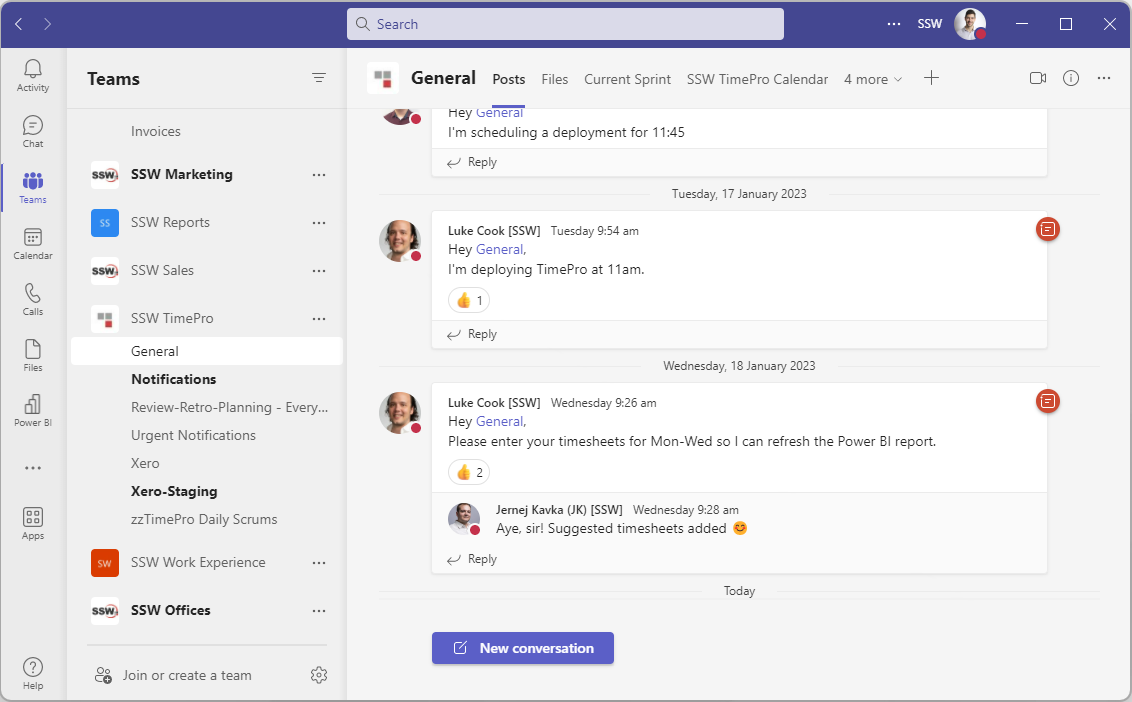
❌ Figure: Bad example - Teams | Posts in Teams channel
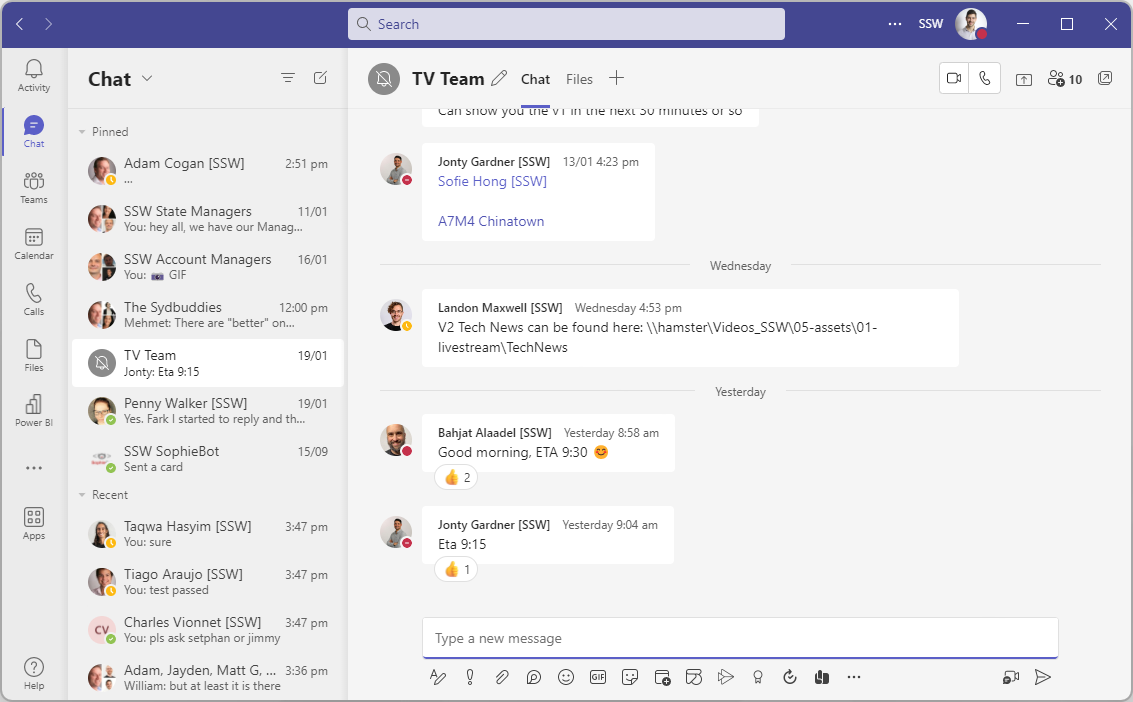
✅ Figure: Good example - Use normal chat group for Team members
Tip: Use an @mention when referring to a specific person in a group chat. This ensures they receive a notification and can respond promptly.
You often need to add someone to a chat, and sometimes it's a good idea to share **all history **with them to provide context.
However, sometimes the contents of a chat can be sensitive and shouldn't be shared. In these cases, think carefully before adding someone to a chat, and doubly so before sharing the chat history with them.
To make sensitive chats easier to identify, rename them appropriately without revealing the sensitive topic in case you share your screen. Use a padlock emoji (🔒) at the start of the chat name as a mental shortcut to indicate not to share it.