This category has been archived
SharePoint Server 2007 has been end of life since Oct 10, 2017.
SharePoint Server 2010 has been end of life since Apr 13, 2021.
Since 1990, SSW has supported the developer community by publishing all our best practices and rules for everyone to see.
If you still need help, visit SharePoint Server Consulting and book in a consultant.
Migrating from SharePoint 2007 to SharePoint 2010 can be a daunting task, but if you follow this guide you will be able to migrate with minimum problems.
These rules focus on migrating from a single server configuration of SharePoint 2007 to a single server configuration of SharePoint 2010. We will assume your SharePoint 2007 server has the DNS of sharepoint.northwind.com
Do you agree with them all? Are we missing some? Email us your tips, thoughts or arguments. Let us know what you think.
In SharePoint 2007, it is a good idea to add the path to stsadm.exe into the environment variables on a SharePoint server so you can open a command prompt and run the tool from anywhere.
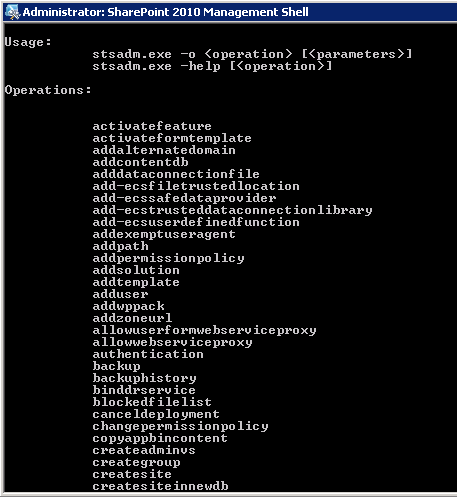 Figure: you should be able to quickly type ‘stsadm’. Believe me you will be typing it enough! In SharePoint 2010, you can skip quite a few steps by using the PowerShell Console.
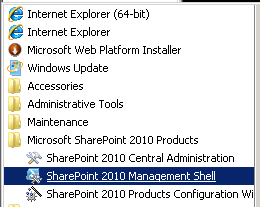 Figure: Using SharePoint 2010 Management Shell
You all know about a web master, the central point of contact if the website goes down. You should know about Schema Masters for Database Design. SharePoint should be no different.
The SharePoint master should be your companies SharePoint expert. All major changes to the SharePoint servers should be run by the SharePoint master including:
You should have at this point, either:
Solutions must be deployed to the new site collection before the content database is resorted to the SharePoint 2010/2013/2016 server:
- Open SharePoint Central Administration | System Settings | Manage Farm Solutions
- Click on Deploy Solution
- Refer to the table you completed in the rule Do you confirm your list of installed Solutions and deploy the solutions to the same site collections they were deployed to on the SharePoint 2007/2010/2013 server.
Even though you have advised staff members a migration is taking place – you can guarantee someone will try to check-in or edit documents. The best way to prevent this is to put your content database into read-only mode, locking the content database.
After the database has finished being attached to the web application you will get a log file with information about the import process.
After you have finished migrating the database, it is extremely important to verify that no data has been lost in the move. The quickest way to do this is to compare the SharePoint 2007 and the SharePoint 2010 server All Site Content pages and confirm that the item numbers match:
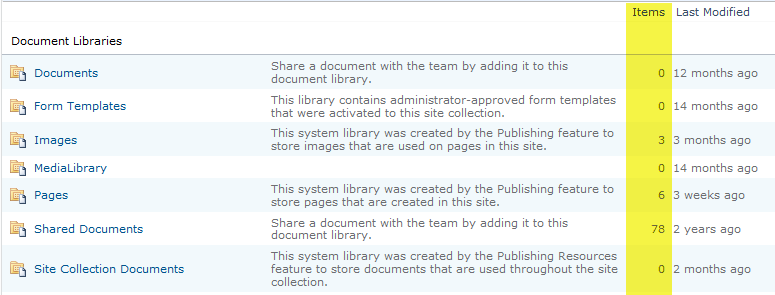
Figure 7 – In the "All Site Content" pages library, ensure the ‘item’ numbers exactly match between SharePoint 2007 and SharePoint 2010
- Look at your report from the SharePoint 2007 server
- On the SharePoint 2010 server, open the site collection you just migrated to
- Select Site Actions | Site Settings
- Select All Site Content
- Compare item numbers with 2007
Repeat this process for all sub-sites of the site collection you migrated.