Do you edit your videos for TikTok, Stories, and Shorts?
Loading last updated info...
Short-form vertical videos are one of the best ways to reach and engage your audience across TikTok, Instagram Stories, Facebook Stories, and YouTube Shorts. These platforms are designed for fast, engaging, mobile-first content, with audiences expecting videos that feel authentic, dynamic, and easy to consume.
To get the best results, edit your videos specifically for these formats instead of simply repurposing content from other platforms. Following platform-specific editing best practices helps your videos capture attention, keep viewers engaged, and reach the audience you intended.

Figure: TikTok Logo
Videos lengths
TikTok supports videos up to 10 minutes (and even longer in some cases), but videos between 15 and 60 seconds tend to achieve the highest engagement. Longer videos of up to 3 minutes can also perform well for educational content.
Instagram Stories allow 60 seconds per Story, with longer uploads automatically split into multiple Stories. For the best engagement, aim for 5–15 seconds per Story.
Facebook Stories also have a 60-second limit per Story. As with Instagram Stories, 5–15 seconds per Story is generally the most effective length.
YouTube Shorts support vertical videos up to 3 minutes. While 15–60 seconds is the sweet spot for most content, 1–3 minute Shorts can perform well for tutorials, storytelling, and other content that benefits from additional context.
Keep videos short and engaging
While TikTok, Instagram Stories, Facebook Stories, and YouTube Shorts all support longer videos, the best-performing content is typically 15–60 seconds. If your message needs more time, make sure every second adds value and captures attention quickly.
Here are some of the most-watched TikTok videos of all time:
While creators are able to make longer video the optimum length would appear to be shorter.
Source: CLIPPED: I watched the 100 best TikTok videos to find the optimum length of a clip
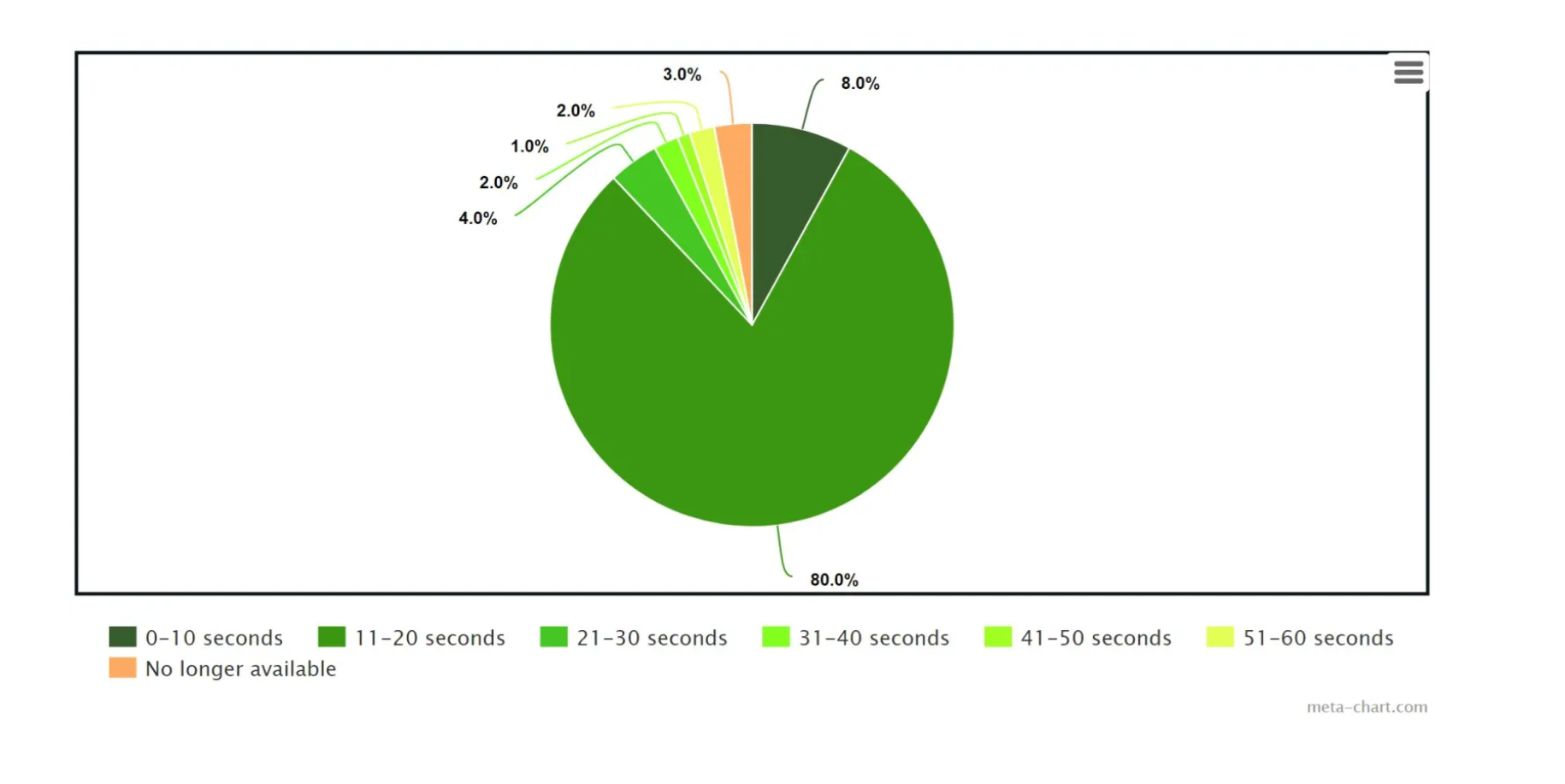
Figure: Most watched video lengths on TikTok
Can I add music to my TikTok Video?
- If it's your unique music, then yes
- If it's “copyright free” or “free for-profit” music, technically yes but presumably steer clear. This is due to it being very hard to search for truly copyright free music and there is almost always a copyright attached to a work.
- If it’s someone else’s song you desire to upload which isn’t already on the TikTok library, then definitely no.
Because of the copyright policy for TikTok, if any content material in the video is auto-detected as copyrighted music by their system, the audio in the video could be muted, or the platform may prohibit the video from being uploaded altogether.
If you got the necessary license to use the music in the video, simply file a counter-notification via the link underneath to supply papers proving that the right rights to use the copyrighted job in your video got been purchased.
Your safest bet would be to only use sounds and music that is already on TikTok, despite uploading your own. If you’re a verified business on TikTok, remember that you're only permitted to use their royalty-free music under their updated policy. It is very common to not upload any music at all and just have the unique dialogue and sounds from your original video itself.
Here are the most used music genres for TikTok videos in 2020:
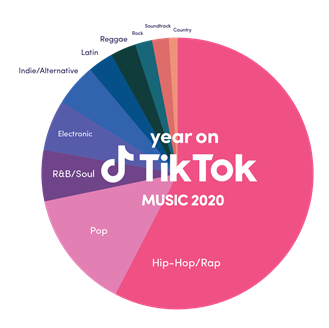
Figure: Music Genres used in TikTok Videos for 2020
Why use captions for TikTok videos?
Captions are an excellent way to open your TikTok videos to a broader audience. They increase a video's general accessibility, prompting more users to like your content. Users include:
- Commuting or those in a general loud area.
- The deaf or hearing impaired
- Learning disabilities
- Attention deficit disorder
- Autism
Top 5 reasons for including captions
- Accessibility - As mentioned above, it makes your content more accessible
- SEO - Backing up your video with captions and a transcript of the audio helps you rank on Google
- User Experience - Studies show users find more clarity in the content when captions are included
- Helping ESL Learners - Captions and subtitles makes it easier for non-native English speakers understand and comprehend your message. Improve average
- Improve average watch time - Captions hold the attention more of the viewer
When you allow captions for every video you make, the sound no longer becomes a necessity for the video to give value.
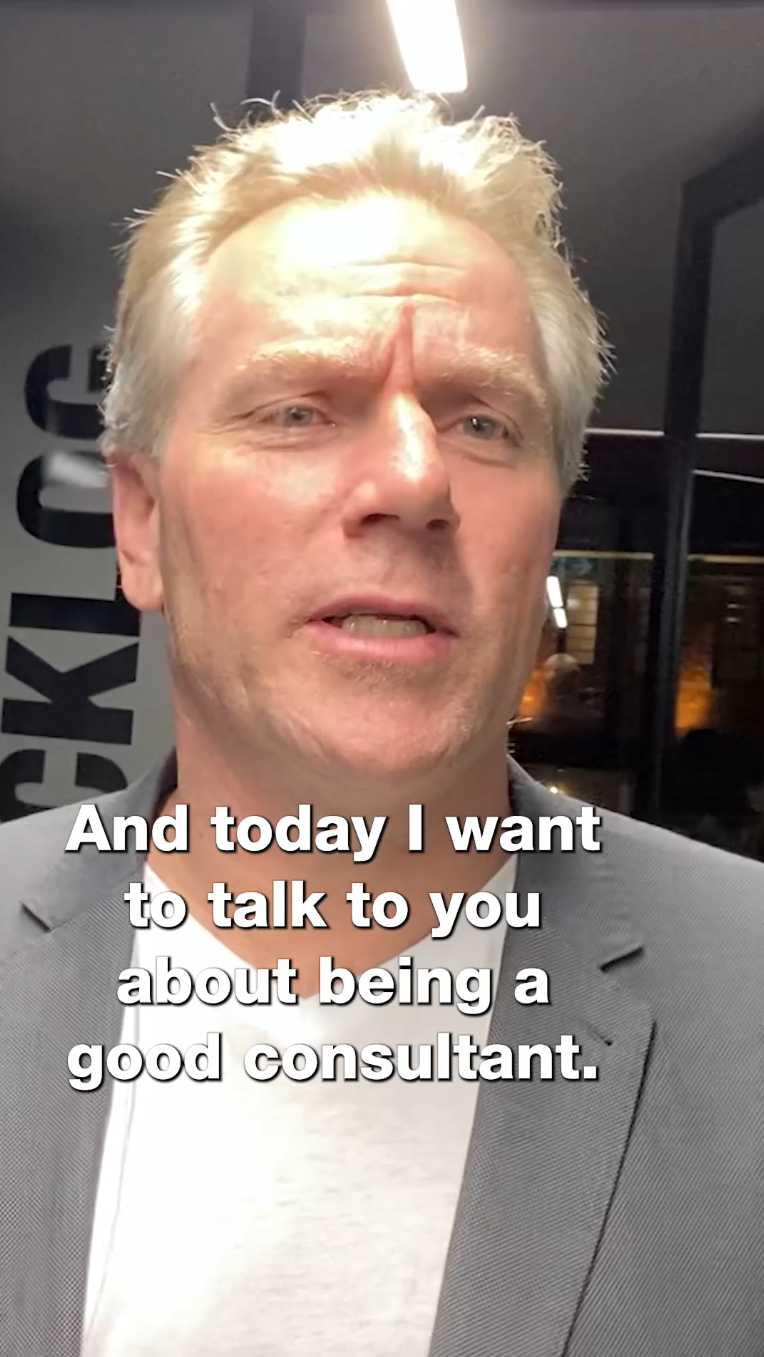
Figure: Adding captions to a video for SSW TikTok
TikTok reference guidelines when editing
The best standard for recording is vertical. However, you can also record horizontal and then reframe and crop accordingly to a vertical export for TikTok. The reason why you might do this is so you can post to both YouTube (1920x1080) and TikTok (1080x1920).
SSW TV uses an overlay reference guide when editing our TikTok videos. This allows us to ensure our videos are formatted correctly keeping in mind TikTok’s User Interface. Once ready to export our video, we turn off the guideline layer. See below images:
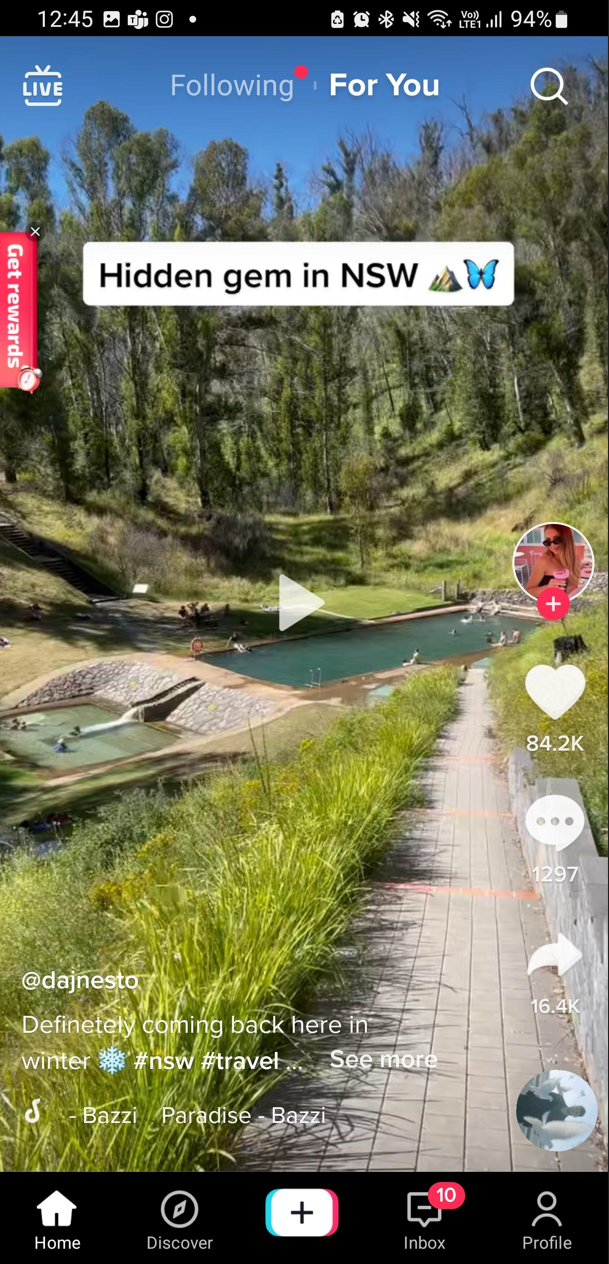
Figure: TikTok Reference

Figure: TikTok guide for editing

Figure: TikTok guide overlayed on video

Figure: TikTok reference guide turned off