Do you avoid using mailto: on your website?
Loading last updated info...
Using mailto: links is a quick way to add contact functionality to a website, but in most cases it creates more problems than it solves - for both users and developers. Clicking a "Contact Us" link should connect a user with your team - not strand them in an unconfigured email client. Yet mailto: links do exactly that for the majority of users, and the problem goes beyond bad UX. They expose email addresses to spam harvesters, break analytics and create false confidence that contact attempts are being tracked.

<a href="mailto:hello@example.com">Contact Us</a><a href="mailto:support@example.com">Report a Bug</a>
❌ Figure: Bad example - mailto: being used in a button and/or in a regular link
Exposed email addresses attract spam
HTML-based mailto: links are trivially easy for harvesters to extract. A study found an unprotected plain-text address was harvested by 100% of tested bots. An unprotected address can accumulate tens of megabytes of spam over months.
mailto: fails most users
The core UX problem is unexpected application switching. When a user clicks a mailto: link, the browser delegates to whatever the OS has registered as the default email handler. For the shrinking minority who use desktop email clients, this works. For everyone else, it's a dead end or an annoyance.
Desktop email clients account for only 16.2% of email opens. The remaining 83.8% of users are on webmail or mobile.
Without a configured client, clicking on a mailto: link produces one of three outcomes:
- App launches and prompts account setup
- The browser shows a "how do you want to open this?" dialog
- Nothing visible happens at all
Each outcome is a dead end. A user who has decided to get in touch and hits that friction may not try again.
mailto: is an analytics black hole
GA4's Enhanced Measurement excludes mailto: from outbound click tracking. Without custom implementation, clicks register no data at all - no attribution, no funnel analysis, no conversion counts.
Even with tracking added via GTM or gtag.js, all that can be captured is intent. Whether the user actually composed and sent the email is unknowable.
Form submissions, by contrast, are confirmed actions with full funnel visibility, field-level data, and CRM integration.
The alternatives
mailto: done correctly (used in rare cases)
When mailto: is genuinely needed, build it correctly:
- Pre-populate
subject,bodyandccparameters to reduce friction - Add an
aria-labeland a visible cue that the link opens an email client - Track clicks via GTM (preferred) or a
gtag.jsclick listener - Encrypyt or obfuscate the address using one of many documented methods
Example encryption method:
Step 1 - Store email addresses in the web.config file
<configuration><appSettings><add key="SampleEncodedEmailAddress" value="hello@example.com.au" />...</appSettings></configuration>
Step 2 - Encode them on the server using the BitConverter class
Dim email As String = ConfigurationSettings.AppSettings("SampleEncodedEmailAddress")Application("SampleEncodedEmailAddress") = BitConverter.ToString( _ ASCIIEncoding.ASCII.GetBytes(email)).Replace("-", "")
Step 3 - Decode on the client with a JavaScript function in the JavaScript
<aid="linkContact"href="javascript:sendEmail('44617669644073616D706C652E636F6D2E6175')">Contact Us</a>
🙂 Figure: OK example - hides the email address from spam bots
2. Contact form (⭐ recommended)
A contact form keeps users on the page, requires no configured mail client, works identically on every device, and provides structured data with full analytics
- Works on every device and every browser, regardless of email client configuration
- Keeps the email address off the front end entirely, eliminating harvesting risk
- Gives users a consistent, guided experience
- Enables server-side validation, spam filtering (e.g. reCAPTCHA), and structured data collection
- Can trigger an auto-reply confirmation, improving perceived responsiveness
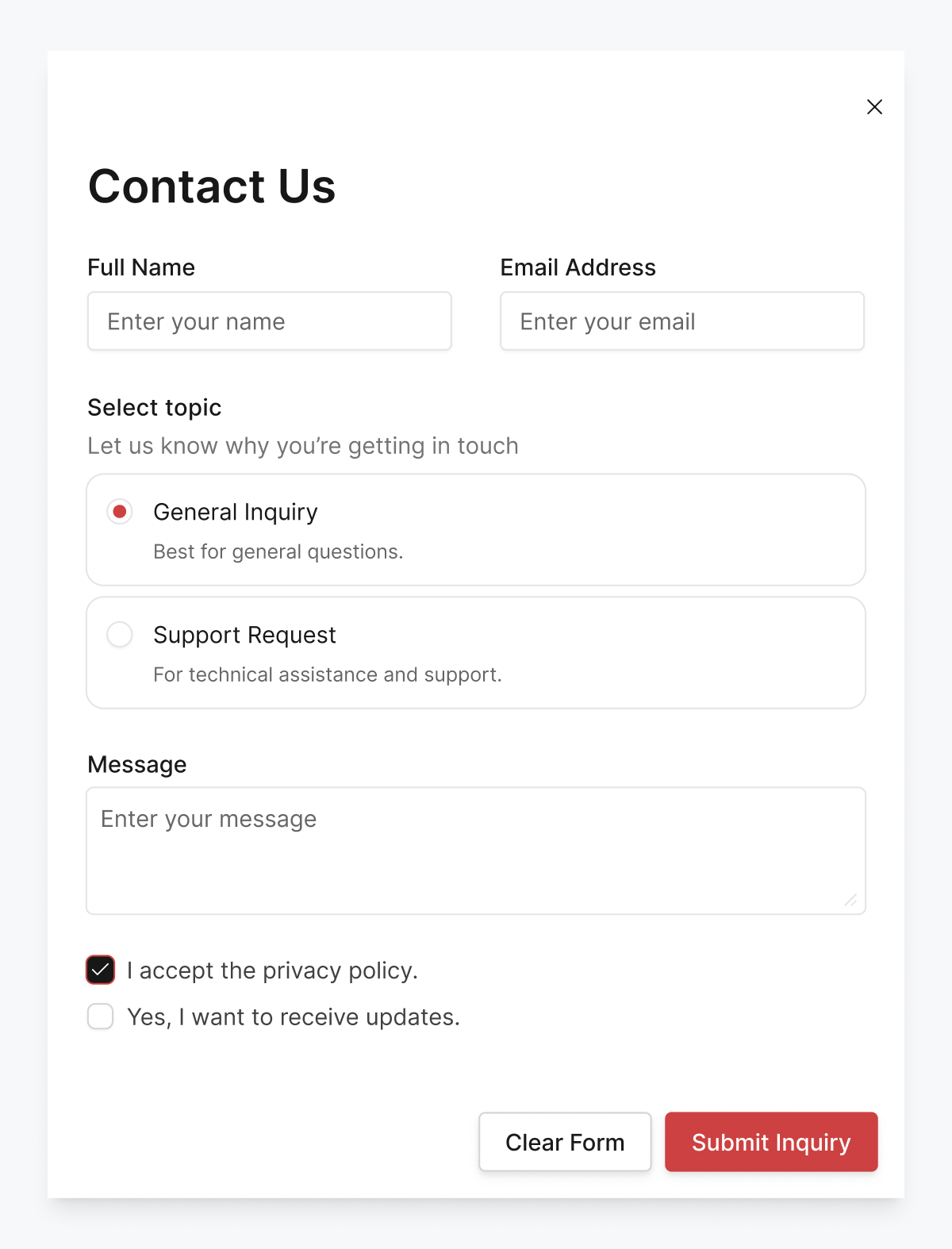
✅ Figure: Good example - improves the user experience across all mediums
Note: On a mobile-first platform, if not using a form, a mailto: link is acceptable. Mobile email apps handle mailto: well, and over 41% of email opens are on mobile. Be sure to obfuscate the email address to avoid spam.